
USB Type-C Alternate Mode Explained — DP, HDMI, Thunderbolt Over USB
Quick Summary
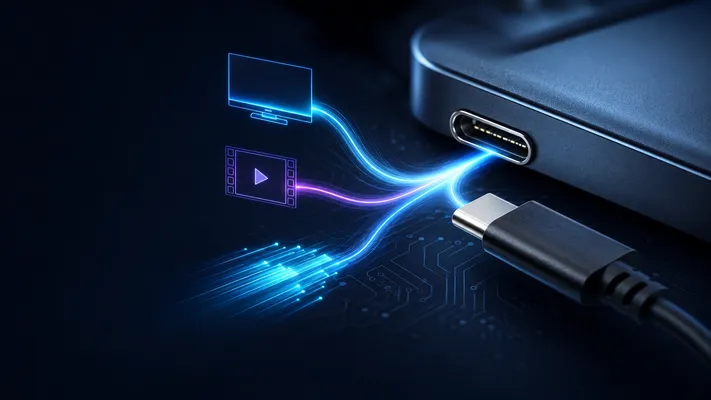
USB Type-C Alternate Mode lets a Type-C port carry selected non-USB protocols over the same high-speed pins. In practice, DisplayPort Alt Mode is the dominant display implementation, while USB4 and Thunderbolt use Type-C for higher-level tunneling of USB, DisplayPort, and PCIe-class traffic. This is how one Type-C port can charge your laptop, drive dual 4K monitors, and connect to a Thunderbolt dock, all through one cable.
1. How Alternate Mode Actually Works
Standard USB 3.x mode uses the Type-C connector’s high-speed differential pairs for SuperSpeed data. The exact lane use depends on USB generation, cable orientation, and whether the port supports USB 3.x, USB4, DisplayPort Alt Mode, or Thunderbolt. In Alternate Mode, some or all of these pairs are reassigned to a different protocol.
The negotiation happens during cable plug-in via the CC (Configuration Channel) pins:
- Cable is plugged in → CC pin detects orientation and device role (DFP/UFP/DRP)
- USB PD communication begins over CC pins
- If both devices support the same Alt Mode, they exchange Structured VDM (Vendor Defined Message) packets
- Lanes are reassigned: the SuperSpeed pairs switch from USB to, e.g., DisplayPort
- USB 2.0 (D+/D- pins) remains available simultaneously — it has its own dedicated pins
2. Main Alternate Modes
| Mode / Technology | What it carries | Lane use | Market reality | Engineering note |
|---|---|---|---|---|
| DisplayPort Alt Mode | Native DisplayPort | 2 or 4 high-speed lanes | Most common USB-C display mode | Confirm DP version, DSC support, and whether USB 3.x must run simultaneously |
| HDMI Alt Mode | Native HDMI 1.4b signaling | 4 high-speed lanes | Specification exists, but adoption is limited | Most USB-C-to-HDMI products use DP Alt Mode plus conversion instead |
| Thunderbolt 3/4 | PCIe + DisplayPort + USB | 4 high-speed lanes | Common on premium PCs and docks | Uses Type-C connector but requires Thunderbolt controllers/certification |
| Thunderbolt 5 | Higher-bandwidth Thunderbolt over Type-C | 4 high-speed lanes with PAM-3 signaling | Newer premium ecosystem | 80Gbps bidirectional; up to 120Gbps transmit with bandwidth boost |
| USB4 / USB4 80Gbps class | Tunneling for USB, DisplayPort, PCIe-class protocols | 2-lane operation over Type-C | Increasingly common on modern PCs | USB4 capability is not implied by the connector alone |
| MHL / VirtualLink / analog audio | Legacy or deprecated modes | varies | Rare or discontinued | Avoid recommending for new mainstream designs |
3. DisplayPort Alt Mode (Most Common)
DisplayPort over USB-C is the most widely deployed display Alt Mode. Many USB-C monitors and laptops support it, but support is not guaranteed by the connector shape alone.
Lane Configurations
| Configuration | Lanes for DP | Lanes for USB | DP Bandwidth |
|---|---|---|---|
| 4-lane DP | 4 (SSRX1, SSPX1, SSRX2, SSPX2) | USB 2.0 only (480 Mbps) | DP 1.4: 32.4 Gbps (HBR3) |
| 2-lane DP + USB 3.2 | 2 (SSRX1, SSPX1) | 2 (SSRX2, SSPX2) | DP 1.4: 16.2 Gbps |
Resolution Capability (4-Lane DP 1.4)
| Resolution | Refresh Rate | DSC Required? |
|---|---|---|
| 1920×1080 | 240 Hz | No |
| 2560×1440 | 144 Hz | No |
| 3840×2160 (4K) | 60 Hz | No |
| 3840×2160 (4K) | 120 Hz | Yes |
| 5120×2880 (5K) | 60 Hz | Yes |
| 7680×4320 (8K) | 60 Hz | Yes (DSC 2:1) |
DSC (Display Stream Compression) is visually lossless 2:1 or 3:1 compression. Most modern GPUs and monitors support it.
Cable Requirements
- Passive DP Alt Mode cable: up to 2m for 4K@60Hz. Passive cables are cheaper but limited by signal attenuation.
- Active DP Alt Mode cable: up to 5m. Active cables include redriver ICs that regenerate the DP signal. Required for >5 Gbps per lane over 2m.
4. HDMI Alt Mode: Exists, but Rare in Products
HDMI Alt Mode maps HDMI TMDS signals onto Type-C lanes. Unlike DP Alt Mode, it does NOT convert protocol — it’s raw HDMI signaling, so the receiving device typically should have a native HDMI input.
| Feature | HDMI Alt Mode |
|---|---|
| HDMI version | 1.4b (not 2.0 or 2.1) |
| Max resolution | 4K@30Hz, 1080p@120Hz |
| Audio | Multi-channel audio, ARC |
| CEC | Supported |
Why HDMI Alt Mode is rare: Most USB-C-to-HDMI products rely on DisplayPort Alt Mode plus a DP-to-HDMI conversion path inside the adapter, dock, monitor, or cable assembly. Manufacturers prefer DP Alt Mode because it is widely supported and can serve native DP monitors as well as HDMI displays through conversion.
5. Thunderbolt 3/4/5 and USB-C
Thunderbolt 3 and 4 use the Type-C connector but encapsulate PCIe and DisplayPort data in Thunderbolt packets — this is technically different from “raw” Alt Mode but uses the same CC-pin negotiation.
| Capability | Thunderbolt 3 | Thunderbolt 4 | Thunderbolt 5 |
|---|---|---|---|
| Base bandwidth | 40 Gbps | 40 Gbps | 80 Gbps bidirectional |
| Bandwidth boost | No | No | Up to 120 Gbps transmit for display-heavy use |
| PCIe support | Up to PCIe 3.0-class tunneling | Minimum PCIe requirements are stricter than TB3 | Higher PCIe-class throughput for storage/docks |
| Display support | Commonly dual 4K or single 5K depending on host | Dual 4K or single 8K class support | Higher-resolution / higher-refresh multi-display use cases |
| Connector | USB-C | USB-C | USB-C |
| Certification | Thunderbolt ecosystem | Stricter minimum PC/accessory requirements | Newer Thunderbolt ecosystem |
Cable behavior depends on cable length, generation, active/passive construction, and certification. Do not infer Thunderbolt 40/80/120Gbps capability from a generic USB-C cable.
6. USB4: Tunneling Instead of a Simple Alt Mode
USB4 integrates Thunderbolt 3 technology into the USB standard. In USB4, DP and PCIe tunneling are NOT “alternate modes” — they’re native features.
| Feature | USB 3.2 + DP Alt Mode | USB4 20/40Gbps | USB4 80Gbps class |
|---|---|---|---|
| DP support | Via Alt Mode negotiation | Native DP tunneling | Native DP tunneling, with optional asymmetric operation for display-focused use cases |
| PCIe support | No | Optional tunneling depending on host/device | Optional tunneling depending on host/device |
| USB data | 10–20 Gbps (Gen 2/Gen 2×2) | 20–40 Gbps | Up to 80 Gbps, with optional 120/40Gbps asymmetric mode |
| Connector | Type-C | Type-C | Type-C |
| Main use | USB data + direct display output | Docks, displays, external storage | Premium docks, pro displays, high-performance peripherals |
For details, see USB4 vs Thunderbolt 4.
2026 Design Note: USB4 and Thunderbolt 5
Do not describe every USB-C high-speed port as “Alt Mode.” DisplayPort Alt Mode is negotiated through USB PD VDMs, but USB4 and Thunderbolt operate as higher-level tunneling architectures. For product copy, the safest wording is:
USB-C is the connector. USB4, Thunderbolt, DisplayPort Alt Mode, and USB Power Delivery are capabilities that must be implemented and validated separately.
For connector selection, this means the mechanical connector must support the required high-speed performance, but the final port capability also depends on controller silicon, retimers/redrivers, PCB stack-up, cable rating, firmware, and certification.
7. How to Know What Alt Modes Your Port Supports
USB-C ports often have tiny logos near the port:
| Logo | Meaning |
|---|---|
| ⚡ (lightning bolt) | Thunderbolt 3 or 4 |
| DP logo (D with P) | DisplayPort Alt Mode |
| USB trident + SS | USB 3.x only (no DP) |
| USB trident + SS + 10/20/40 | USB speed only |
| Battery icon | USB PD capable |
| No logo | Could be USB 2.0 only — check spec sheet |
The Type-C connector reveals nothing about Alt Mode support. Always check the device spec sheet.
8. Connector Requirements for Alt Mode
The Type-C connector itself typically should support the full 24-pin configuration for any Alt Mode to work:
- 16-pin Type-C (missing SuperSpeed pairs): cannot support DP/HDMI/Thunderbolt Alt Mode. USB 2.0 + PD only.
- 24-pin Type-C (all pins present): can support all Alt Modes.
- 6-pin Type-C (power only): cannot support any data or Alt Mode.
For Alt Mode support, specify a full 24-pin Type-C connector. A suitable 24-pin Type-C connector can be used in Alt Mode designs, but protocol support must be implemented and validated at the system level.
GSConn 24-pin USB Type-C connector series can be selected for high-speed USB-C designs when their datasheet ratings match the target speed, temperature range, durability, and mechanical requirements. Alt Mode, USB4, and Thunderbolt compliance must be validated at the full-system level.
Related reading:
– USB4 Connector Selection Guide
– USB Type-C Pinout & Wiring Diagram
– USB4 vs Thunderbolt 4
> Update: DisplayPort Alt Mode is by far the most widely deployed Alternate Mode. HDMI Alt Mode exists but has seen limited adoption.
Technical References for Editorial Review
This article was reviewed for engineering accuracy against commonly used connector and USB ecosystem references, including USB-IF Type-C / USB4 / USB Power Delivery documentation, IEC 60512 connector test methods, EIA-364 test methods, and representative connector manufacturer datasheets. Always verify final dimensions, plating thickness, reflow limits, and durability ratings against the exact connector datasheet before releasing a design.