
USB Type-A vs Type-C: Engineering Guide
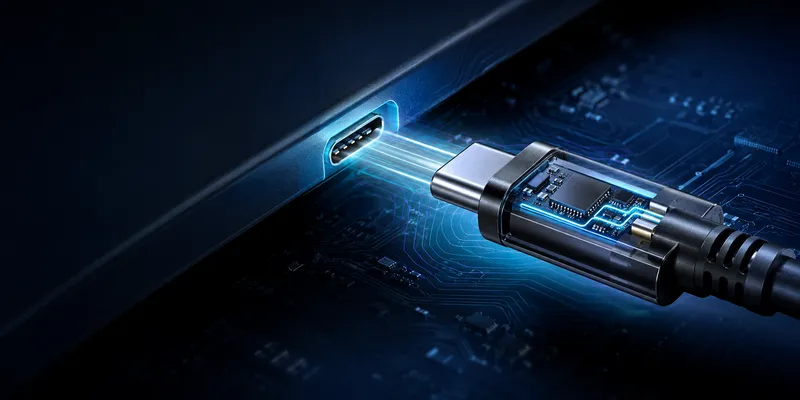
USB Type-A vs Type-C Connector: Engineering and Procurement Comparison
USB Type-A and USB Type-C are connector form factors, not complete performance specifications. A Type-C receptacle does not automatically provide USB4, USB Power Delivery or video, and a Type-A receptacle does not automatically mean USB 2.0. Select the connector from the product’s required functions and environment.
Quick comparison
| Consideration | USB Type-A | USB Type-C |
|---|---|---|
| Insertion | One orientation | Reversible |
| Typical role | Existing hosts, peripherals and service ports | New compact products, charging and high-speed interfaces |
| Feature range | USB 2.0 and selected USB 3.x implementations | USB 2.0, USB 3.x, USB4, PD and alternate modes depending on design |
| Size | Larger rectangular interface | Smaller reversible interface |
| Design complexity | Relatively simple for basic USB | More pins, CC logic and more possible modes |
| Main procurement risk | Legacy availability and space | Capability confusion between similar-looking parts |
Mechanical differences
Type-A is familiar, mechanically simple and widely compatible with installed equipment. It is useful when a product must connect to existing cables or when a service technician expects a legacy port.
Type-C is smaller and reversible, but its implementation must account for the receptacle tongue, two plug orientations, CC detection, VBUS protection and—if required—SuperSpeed pairs or alternate modes. The mounting style, shell strength and cable retention still matter in industrial products.
Do not use a generic mating-cycle number in a product requirement. Request the cycle rating for the exact receptacle and test condition, including insertion speed, angle, load and contact-resistance limit.
Pin count does not equal capability
| Implementation | Possible function |
|---|---|
| Type-A USB 2.0 | VBUS, D−, D+, GND and shell/shield strategy |
| Type-A SuperSpeed | USB 2.0 plus one SuperSpeed transmit/receive path |
| Reduced-pin Type-C | Charging or USB 2.0 functions, depending on CC and power implementation |
| Full Type-C implementation | USB 2.0, SuperSpeed, PD and alternate modes as designed |
For Type-C, verify the actual CC pins, VBUS/GND contacts, configuration channel components, pull-ups/pull-downs, protection devices and controller. A 24-pin appearance alone is not proof that every function is wired or tested.
Speed and power are separate decisions
| Requirement | Type-A | Type-C |
|---|---|---|
| Basic USB 2.0 | Possible | Possible |
| USB 3.x single-lane modes | Possible on selected implementations | Possible |
| USB 3.2 Gen 2×2 | Not supported by the Type-A form factor | Requires the appropriate dual-lane implementation |
| USB4 | Not supported by Type-A | Type-C architecture, plus USB4-capable electronics and cable |
| USB Power Delivery | Do not assume standard USB PD from Type-A | Type-C CC and PD implementation required |
Power capability depends on the USB mode, connector rating, cable, source, sink, thermal design and protection circuitry. The connector shape alone cannot be used to claim a wattage.
When to select Type-A
Choose Type-A when backward compatibility, simple peripheral connectivity, field service access or an existing cable ecosystem is more important than reversibility and compactness. Typical examples include keyboards, mice, legacy industrial controllers and service interfaces.
When to select Type-C
Choose Type-C when the design needs a reversible interface, compact packaging, USB Power Delivery, high-speed USB, DisplayPort Alt Mode or a path toward USB4. Treat every function as a separate requirement and test the complete system.
Regulatory requirements vary by market and product category. Confirm the current rules for the destination market instead of using a time-sensitive “future-proof” statement as the selection basis.
Dual-port strategy
| Strategy | Best fit |
|---|---|
| Type-A only | Legacy industrial equipment or basic peripherals |
| Type-A + Type-C | Transitional products serving both installed and new equipment |
| Type-C only | Compact products and new designs with charging or high-speed requirements |
GSConn offers Type-A and Type-C connector configurations including board-mount and panel-mount options. For a quotation, provide the required speed, power, orientation, mounting method, panel thickness, environmental rating, mating cycles and enclosure constraints.
Verification checklist
- Confirm the desired USB mode with the final host and device controllers.
- Check both Type-C orientations and all supported cable types.
- Measure contact resistance and temperature at the maximum current.
- Test ESD, hot-plug, vibration and cable retention.
- Verify mechanical fit using production-intent PCB and enclosure tolerances.
- Request the exact drawing and test data for the selected part number.
FAQ
Is Type-C always faster than Type-A?
No. Speed is determined by the implemented USB generation, controller, cable and system channel.
Does every Type-C port support charging?
Every Type-C implementation must follow its configuration and power rules, but the available current, PD profiles and charging behavior vary. Check the product specification.
Is Type-A obsolete for industrial products?
No. It remains useful where legacy compatibility, serviceability and installed-cable support matter.
Related reading
Sources
Related reading on GSConn
GSConn application notes that complement this guide: