6-Pin vs 7-Pin vs 8-Pin SIM Sockets: When the Presence Switch Pays for Itself

A pin that costs a cent and saves a truck roll
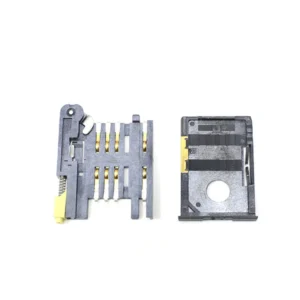
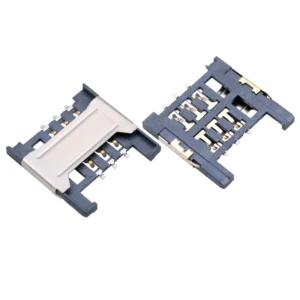
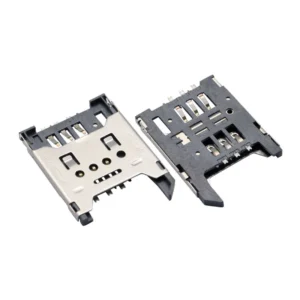
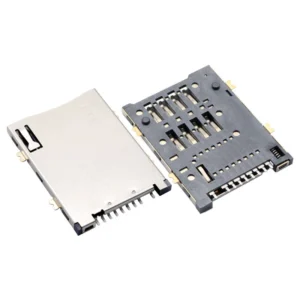
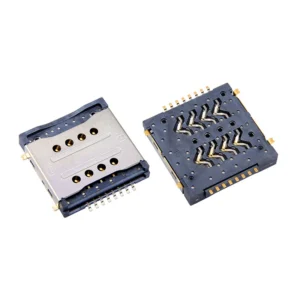
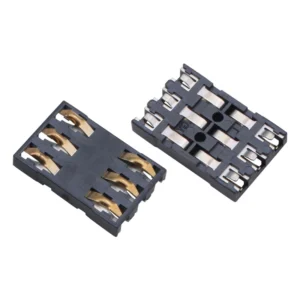
Most SIM sockets are available in 6-pin and 7-pin versions, and the difference is a single mechanical switch. On a distributor page the price difference is negligible. In the field, the difference is whether the device can tell you why it has no network.
This article quantifies what the switch is worth, when the 8-pin variant with a second switch is justified, and the cases where 6 pins are genuinely the right answer.
What the extra contact actually is
The switch is not an electrical contact to the card. It is a spring blade that rests against one of the contact blocks and lifts when a card is inserted. It reports insertion, not card validity.
| Pin count | Contents | What firmware learns |
|---|---|---|
| 6 | C1 VCC, C2 RST, C3 CLK, C5 GND, C6 VPP, C7 I/O | Nothing about the card until the modem talks to it |
| 7 | Above plus one presence switch | Card is mechanically present |
| 8 | Above plus a second switch at full insertion depth | Card is present and fully seated |
The critical distinction: a presence switch tells you a card is there. It does not tell you the card is seated, is a valid SIM, or has an active subscription. Those still require the ISO 7816 answer-to-reset and the network attach.
So the switch does not replace the protocol. It replaces the guesswork about whether to start it.
The sequence problem with 6 pins
ISO 7816 defines an activation sequence: VCC, then RST, then CLK, then I/O. The interface device is supposed to apply these in order and monitor for a card. With no presence signal, the host has to decide when to start.
| Approach | Behaviour | Cost |
|---|---|---|
| Always assume a card | Activate on every boot, wait for answer-to-reset, time out | A timeout on every boot with no card installed |
| Poll periodically | Activate every few seconds, time out each time | Repeated current draw; wasted energy on battery devices |
| Activate once at boot | If the card is inserted later, it is never detected | Card inserted after power-on does not work |
None of these is wrong in a device where the card is fitted at the factory, because the card is always there and the first activation succeeds. That is exactly the case where 6 pins are appropriate.
In a device where the card might be absent — a service unit awaiting provisioning, a product shipped without a SIM, a user who removed the card — every one of those approaches produces either a delay or an undetectable state.
What a failed activation costs
An ISO 7816 activation that times out is not free. The interface must power the card, start the clock, wait for the answer-to-reset, and fail. Typical timeout windows run into tens of milliseconds to a few hundred, and the retry policy is usually a few attempts.
The larger cost is downstream. Without a presence signal, the host cannot distinguish:
| Condition | What the host sees (6-pin) | What the host sees (7-pin) |
|---|---|---|
| No card installed | Activation timeout — same as a dead card | Switch open — definitively no card |
| Card present but dead | Activation timeout | Switch closed, activation timeout — card present but unresponsive |
| Card present, no subscription | Attach fails | Switch closed, attach fails — distinct state |
| Card half inserted | Intermittent activation, sometimes works | First switch closed, second open (8-pin) — “detected, not seated” |
The first row is the one that generates support calls. “The device says no network” and “the device has no SIM” look identical in the logs. A technician has to visit to find out which.
Current cost on battery-powered devices
The energy argument depends on the device class, and it is easy to overstate.
| Device | Typical sleep current | Activation attempt energy cost | Does it matter? |
|---|---|---|---|
| Mains-powered gateway | Not applicable | Negligible | No |
| Battery device, hourly wake | Microamps | Small but non-zero | Marginally, over years |
| Battery device, multi-year target | Microamps | Repeat activations add up | Yes, if polling is avoided via the switch |
The honest position: the switch saves energy mainly by avoiding polling. If your firmware already activates only once at boot and accepts that a late-inserted card is not detected, the switch does not save much energy. If your firmware polls to support late insertion, the switch removes that polling entirely.
Do not justify the switch on energy alone. Justify it on diagnostic clarity, and treat the energy saving as a bonus where polling would otherwise be needed.
The 8-pin case: detecting a card that is present but not seated
A single switch closes somewhere in the insertion stroke. It may close well before the card is fully seated, which means a partially inserted card reads as “present” and then fails activation.
The second switch closes only at full depth. The combination gives three states:
| Switch 1 | Switch 2 | Interpretation | Firmware action |
|---|---|---|---|
| Open | Open | No card | Report no SIM; do not activate |
| Closed | Open | Card detected, not seated | Report “check card seating”; do not activate |
| Closed | Closed | Card fully seated | Run activation sequence |
This is worth paying for in two situations: handheld devices where a hurried user can leave the card partway out, and devices with an access door that can be closed over a partially inserted card.
In a factory-fitted assembly it is unnecessary. In a screw-down enclosure where the card is inserted by a technician with both hands, it is also unnecessary.
When 6 pins is the right answer
| Condition | Verdict |
|---|---|
| Card fitted at the factory and never removed | 6 pins |
| Soldered eSIM equivalent with no socket | Not applicable |
| Cost-driven high-volume consumer, no diagnostics | 6 pins acceptable |
| Device shipped without a SIM to be provisioned later | 7 pins minimum |
| Any remotely deployed device | 7 pins minimum |
| Handheld with a user-accessible card slot | 7 or 8 pins |
There is also a firmware consideration that is easy to miss. The switch must be debounced. A mechanical blade bouncing on insertion produces multiple edges over a few milliseconds, and firmware that acts on the first edge will start an activation sequence against a card that is still moving.
| Firmware requirement | Typical value |
|---|---|
| Switch debounce | 10–50 ms of stable state |
| Removal detection delay | Longer than insertion debounce, to avoid reacting to a brief lift |
| Activation delay after detection | Allow the card to settle; a few tens of milliseconds |
| Deactivation on removal | Orderly: stop I/O, stop clock, remove VCC |
An orderly deactivation matters more than it sounds. Pulling VCC from an active card can corrupt the file system on the SIM, which produces a card that works but has lost its subscription data — a failure that looks like a network problem and is expensive to diagnose.
Requesting the right part
| Item to specify | Wording that avoids ambiguity |
|---|---|
| Pin count | State 6, 7 or 8 and state which contacts are switches |
| Switch state with no card | Normally open or normally closed, explicitly |
| Switch actuation point | Insertion depth in millimetres, for single-switch parts |
| Second switch depth | For 8-pin, the depth at which it closes |
| Switch rating | Signal level; do not route load current through it |
| Debounce guidance | Ask the supplier for the bounce duration |
Suppliers frequently list “with detection switch” without saying whether the switch is open or closed with no card inserted. Both variants exist, and getting it wrong inverts your firmware logic in a way that appears to work during bring-up with a card installed.
FAQ
Does a presence switch tell me the SIM is valid? No. It reports mechanical insertion only. Card validity requires the ISO 7816 answer-to-reset and an attach attempt.
Is 7-pin worth it on a mains-powered device? Yes, for diagnostics rather than energy. It distinguishes “no card” from “card not responding” without a site visit.
When do I need 8 pins? When a card can be left partially inserted by a user — handhelds with an access door, or any device where a hurried insertion is plausible.
Will the switch save battery? Only if the alternative would be polling. If firmware activates once at boot anyway, the switch saves little energy and the case rests on diagnostics.
What happens if I pull the card while it is active? Potentially corrupted subscription data. Firmware should detect removal and deactivate in the correct order: I/O, clock, then VCC.
Is the switch normally open or normally closed? Both exist. Specify it explicitly, because the wrong variant inverts the detection logic and often appears to work during bench testing with a card installed.
SIM Card Connectors for this design
View all 41 parts →