
USB 3.2 Gen 2×2 vs USB4: 20 Gbps Guide
USB 3.2 Gen 2×2 vs USB4: 20 Gbps, Tunneling and Design Trade-offs
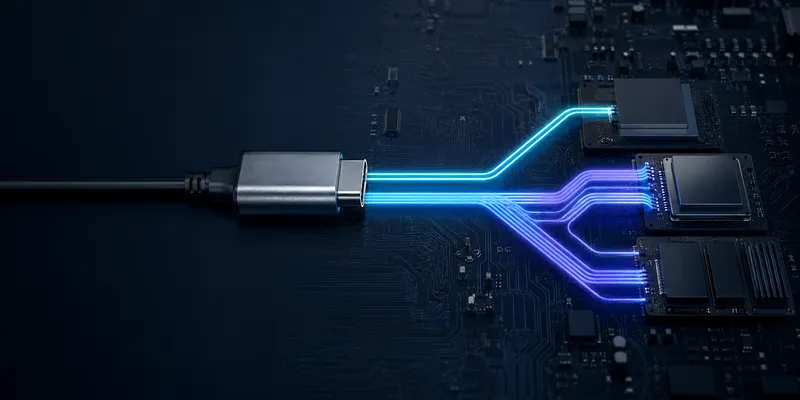
USB 3.2 Gen 2×2 and USB4 can both be associated with a 20 Gbps class link, but they solve different system problems. Gen 2×2 is a two-lane USB data mode. USB4 is a router and tunneling architecture that can carry USB data and, when implemented, DisplayPort and PCIe traffic over one Type-C connection.
Scope note: this article focuses on common 20 and 40 Gbps implementations. USB-IF’s current USB4 overview also describes operation up to 80 Gbps over certified 80 Gbps cables, so 40 Gbps should not be presented as the universal maximum for every USB4 generation.
Quick comparison
| Feature | USB 3.2 Gen 2×2 | USB4 20/40 Gbps |
|---|---|---|
| Physical connector | Type-C architecture | Type-C architecture |
| Primary function | USB data over two 10 Gbps lanes | Multiplexed USB and optional tunneled protocols |
| DisplayPort/PCIe | Uses separate or alternate-mode implementation; not USB 3.2 tunneling | Depends on host, device and router implementation |
| Thunderbolt compatibility | Not implied | Not automatic; verify the product claim |
| Typical use | Cost-sensitive 20 Gbps storage | Docks, displays, high-speed storage and mixed workloads |
| Main risk | Host and device may not implement Gen 2×2 | Feature and cable capability may be misunderstood |
USB4 capability is not determined by a Type-C receptacle alone. The host, device controller, router, cable, firmware and connected peripherals all matter.
1. Architecture difference
USB 3.2 Gen 2×2
Gen 2×2 combines two 10 Gbps SuperSpeed lanes to provide a 20 Gbps raw signaling rate. It is a useful choice when the product mainly needs fast USB storage or data transfer and does not need USB4 tunneling.
USB4
USB4 uses packetized traffic and a router architecture. Depending on the implementation, USB data can share the connection with DisplayPort and PCIe tunnels. The available bandwidth is allocated dynamically, so a dock’s real performance depends on its host, display modes, storage devices and controller design.
2. Choosing between them
Choose USB 3.2 Gen 2×2 when:
- the primary requirement is USB storage performance;
- the host and device ecosystem explicitly supports Gen 2×2;
- the product does not need USB4 tunneling;
- controller cost, power and validation scope are important.
Choose USB4 when:
- one cable must combine high-speed USB with DisplayPort or PCIe capability;
- the product is a dock, workstation accessory or high-end storage platform;
- the host and cable ecosystem supports the required USB4 speed and modes;
- the project can validate routers, firmware, interoperability and thermal behavior.
Do not use “future-proof” as the only reason to select USB4. List the required protocols and test them on the target hosts.
3. Compatibility expectations
| Connection | Expected outcome |
|---|---|
| Gen 2×2 device to Gen 2×2 host | Up to the supported 20 Gbps mode |
| USB4 device to USB4 40 Gbps host | Up to the supported USB4 mode, subject to cable and system limits |
| USB4 device to USB 3.2 host | Falls back to the highest common USB mode |
| Gen 2×2 device to USB4 host | Falls back or operates at Gen 2×2 if supported by both sides |
| USB4 device to Thunderbolt host | Verify the specific Thunderbolt/USB4 compatibility claim |
Backward compatibility preserves a connection only when the common protocol and physical path are supported. It does not guarantee the headline speed or every alternate mode.
4. Cable selection
Use the cable label and compliance documentation that match the target USB mode. Check passive/active construction, length, e-marker, power rating, supported data rate, DisplayPort capability and thermal behavior.
A cable that is suitable for USB 2.0 charging may be unsuitable for 20 or 40 Gbps data. A cable that supports 40 Gbps data may not support the maximum PD power. Data, video and power must be specified separately.
5. Connector and PCB design
For both Gen 2×2 and USB4, control the full channel:
- differential pair impedance and skew;
- connector launch, via transitions and stubs;
- return path and shielding;
- crosstalk and insertion loss;
- Type-C orientation switching and mux behavior;
- ESD protection capacitance;
- thermal rise at the intended power.
For a product quotation, provide the target rate, USB data mode, DisplayPort/PCIe requirement, cable length, board stack-up, connector orientation, mounting style and compliance target.
GSConn can evaluate 24-pin Type-C connector options for USB 3.2 Gen 2×2 and USB4 designs. Request the exact controlled-impedance guidance, mechanical drawing and test evidence for the selected part and system configuration.
FAQ
Is USB4 20 Gbps automatically faster than Gen 2×2?
Not for USB-only file transfer. Both may occupy the same 20 Gbps class; USB4’s advantage is its ability to support additional tunneled protocols when the implementation provides them.
Does USB4 always support Thunderbolt 3?
No. Verify the specific host, device and dock compatibility statement.
Does a 40 Gbps cable make a USB4 product 40 Gbps?
No. The host, device controller, firmware, connector channel and cable must all support the mode.
Related reading
Sources
Related reading on GSConn
GSConn application notes that complement this guide: