
HDMI USB Stacked Connector: Dual-Interface Combo Solutions
HDMI USB Stacked Connector: Dual-Interface Combo Solutions
HDMI and USB are the two most common I/O interfaces on modern embedded systems, digital signage players, set-top boxes, thin clients, and industrial computing modules. They serve different functions — HDMI for display output, USB for data, peripherals, and power — but they share a common design constraint: they both need to be accessible from the same panel face.
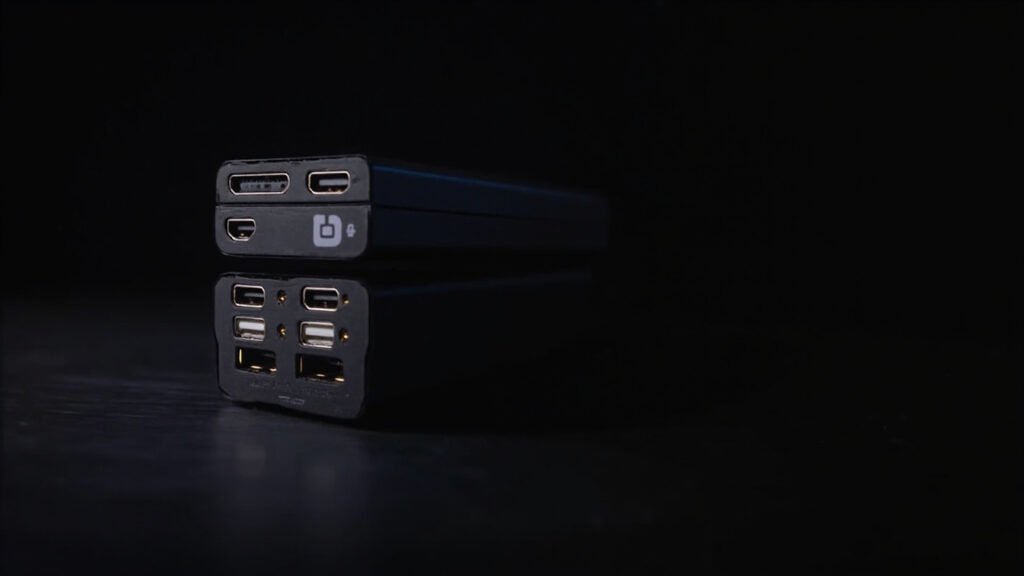
An HDMI USB stacked connector integrates one HDMI port and one USB port into a single dual-interface housing. One component, one panel cutout, one placement. It’s the connector equivalent of “why use two parts when one will do?”
HDMI USB Combo Configurations
HDMI Type-A + USB Type-A (Most Common)
HDMI on top, USB below (or vice versa). This is the standard configuration for digital signage players, thin clients, and embedded computing modules where the HDMI port drives the primary display and the USB port handles peripherals.
Typical specs:
- HDMI: Type-A, 19-pin, supports HDMI 1.4 or 2.0
- USB: Type-A, USB 2.0 or USB 3.0, 4 or 9 contacts
- Mounting: Right-angle DIP or SMT
- Optional: Panel-mount flange with grounding fingers
HDMI Mini/Micro + USB Micro
Compact combo for portable devices, action cameras, and handheld instruments where space is at an absolute premium.
Typical specs:
- HDMI: Mini (Type-C) or Micro (Type-D), 19-pin
- USB: Micro-B or Micro-AB, 5 contacts
- Mounting: Right-angle SMT
- Height above PCB: 5–8mm (ultra-low profile)
HDMI Type-A + USB-C
Growing segment driven by USB-C’s increasing adoption in embedded systems. The reversible USB-C connector sits alongside a standard HDMI Type-A in a stacked arrangement.
Typical specs:
- HDMI: Type-A, 19-pin
- USB-C: 24-pin, USB 3.2 or USB4 capable
- This is mechanically the most challenging combo — 24 USB-C contacts plus 19 HDMI contacts = 43 total pins in one connector body
Signal Integrity Considerations for HDMI USB Combos
The HDMI and USB sections of a combo connector handle very different signals:
| Signal | Standard | Data Rate | Frequency Content |
|---|---|---|---|
| HDMI 1.4 | 3 TMDS lanes + clock | 3.4 Gbps/lane | 1.7 GHz fundamental |
| HDMI 2.0 | 3 TMDS lanes + clock | 6.0 Gbps/lane | 3.0 GHz fundamental |
| HDMI 2.1 | 4 FRL lanes | 12 Gbps/lane | 6.0 GHz fundamental |
| USB 2.0 | 1 differential pair | 480 Mbps | 240 MHz |
| USB 3.0 | 2 SuperSpeed pairs | 5 Gbps | 2.5 GHz |
| USB 3.2 Gen2 | 2 SuperSpeed pairs | 10 Gbps | 5.0 GHz |
At HDMI 2.0 and USB 3.0 speeds, the HDMI and USB signal paths inside the combo connector are close enough to couple — the HDMI TMDS clock at 300 MHz (for 6 Gbps signaling) generates harmonics that land inside the USB 3.0 SuperSpeed band at 2.5 GHz.
The fix: An internal metal shield plate between the HDMI and USB cavities. This is not optional for HDMI 2.0 + USB 3.0 combo connectors. The shield isolates the two signal domains and prevents the HDMI clock from appearing as noise in the USB SuperSpeed receiver.
For HDMI 1.4 + USB 2.0 combos, the frequency gap between HDMI TMDS (max ~900 MHz fundamental for 1.4) and USB 2.0 (240 MHz) is large enough that shielding is less critical — but still recommended for EMI margin.
Comparing HDMI USB Combo to Alternatives
| Solution | HDMI USB Combo | Separate HDMI + USB | HDMI + USB via Dock |
|---|---|---|---|
| Panel openings | 1 | 2 | 1 (dock connector) |
| PCB space | 20–25mm width | 35–40mm width | Dock footprint |
| Signal isolation | Shielded (good) | Fully isolated (best) | Dependent on dock design |
| Panel alignment | Single cutout tolerance | Two cutouts, alignment tolerance stackup | Single cutout |
| Cost | $1.00–3.50 | $0.80–1.80 (combined) | Dock cost + BOM |
| Design flexibility | Fixed port type + position | Any port type, any position | Dependent on dock |
The separate HDMI + USB approach gives you unlimited design flexibility — any HDMI version, any USB version, any spacing between them. But it costs you two placements, two panel openings, and a more complex panel tolerance stackup.
The HDMI USB combo gives up some flexibility in exchange for assembly simplicity. For high-volume products with fixed I/O configurations — digital signage players, thin clients, set-top boxes, embedded NUC-style computers — the combo connector is the more efficient choice.
Applications for HDMI USB Stacked Connectors
Digital Signage Player
A small fanless PC behind a digital signage display. Needs one HDMI for the display and one USB for content updates, configuration, or a Wi-Fi dongle. The combo connector puts both interfaces on the back panel in a compact footprint.
Recommended: HDMI Type-A 2.0 + USB 2.0 Type-A, right-angle DIP, panel-mount with grounding.
Thin Client / Cloud Terminal
A compact endpoint device that connects to a monitor via HDMI and uses USB for keyboard, mouse, and smart card reader. Combo connector simplifies the back panel and reduces assembly steps.
Recommended: HDMI Type-A 1.4 or 2.0 + USB 3.0 Type-A (multiple peripherals benefit from SuperSpeed bandwidth), right-angle, internal shield between HDMI and USB.
Set-Top Box / OTT Streaming Device
Primary HDMI to TV, USB for service/configuration. Space is tight in a streaming stick or small set-top box — the combo connector’s single panel opening is a real advantage.
Recommended: HDMI Type-A 2.0 (4K output) + USB 2.0 Type-A, ultra-compact right-angle SMT.
Industrial Panel PC
A sealed industrial computer with a touchscreen display. External HDMI for a secondary monitor, external USB for maintenance. The combo needs IP65 sealing on the panel side.
Recommended: HDMI Type-A 1.4 + USB 2.0 Type-A, right-angle, IP65 panel seal with gasket, stainless steel shell.
Medical Imaging Workstation
A radiology workstation with dual displays and USB-connected imaging accessories. The combo connector on the workstation chassis provides convenient front-panel access.
Recommended: HDMI Type-A 2.0 + USB 3.0 Type-A, high mating cycle rating (5,000+), medical-grade materials.
Design Tips for HDMI USB Combo Connectors
PCB Footprint
An HDMI USB combo connector’s footprint combines the pad patterns for both interfaces. The HDMI section needs 19 pads (or 19 through-holes for DIP) arranged in the standard HDMI Type-A pattern. The USB section’s pads sit below. Make sure your footprint:
- Maintains adequate clearance between HDMI ground pads and USB signal pads
- Provides solid ground plane coverage beneath both connector sections
- Includes mounting holes or slots for board locks or panel-mount screws
Panel Cutout
The combo connector requires a single rectangular cutout that accommodates both ports. The cutout dimensions are larger than a single-port cutout but simpler than two separate cutouts with accurate relative positioning. Provide the cutout drawing to your enclosure manufacturer early — the connector supplier can usually provide a recommended cutout dimension drawing.
EMI Gasket
If your product needs to pass radiated emissions testing (FCC Part 15, CISPR 32), add an EMI gasket between the combo connector’s shell and the enclosure panel. The gasket creates a continuous conductive contact from the connector shell (which surrounds the HDMI and USB ports and captures their radiated emissions) to the enclosure chassis ground.
A compressible conductive fabric-over-foam gasket is standard. For IP-rated enclosures, a conductive elastomer gasket serves double duty as both EMI seal and environmental seal.
FAQ: HDMI USB Combo Connectors
Can I get a combo with HDMI 2.1 and USB 3.2 Gen2?
In theory, yes. In practice, this is an advanced custom design. HDMI 2.1 FRL signaling at 12 Gbps per lane puts the signal frequency at 6 GHz, and USB 3.2 Gen2 puts it at 5 GHz. The inter-port crosstalk at these frequencies demands precision internal shielding and possibly different lead frame materials. Expect longer lead times and higher NRE charges for HDMI 2.1 combo connectors.
What’s the most common HDMI USB combo for embedded systems?
HDMI Type-A 1.4 + USB 2.0 Type-A, right-angle DIP. It covers the most applications at the lowest cost and has the widest supplier base.
Does the HDMI port in a combo connector support audio return channel (ARC)?
The connector is passive — it passes all HDMI signals including ARC through the standard HDMI pinout. Whether ARC works depends on your board-level HDMI implementation, not the connector.
Summary
HDMI USB stacked combo connectors serve a specific but common design need: putting display and data interfaces on the same panel in the smallest possible footprint. They’re most valuable in compact, high-volume products where assembly efficiency matters.
For designs with HDMI 2.0 and USB 3.0, insist on internal shielding between the HDMI and USB sections. Without it, you’re trading assembly convenience for potential EMI and signal integrity issues that are hard to fix after the PCB is laid out.
GSConn’s HDMI USB combo connector portfolio includes HDMI 1.4 and 2.0 with USB 2.0 and 3.0 options, right-angle DIP and SMT mounting, panel-mount grounding flanges, and custom port combinations for OEM requirements.