
USB4 vs Thunderbolt 4: Connector and Protocol Differences Explained
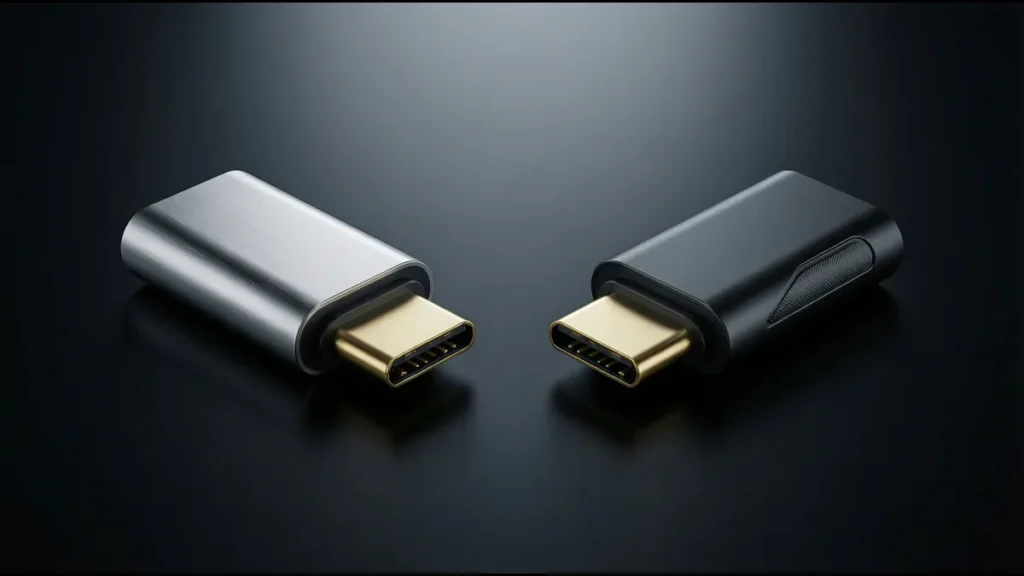
USB4 and Thunderbolt 4 share the same USB-C connector and many of the same capabilities — so much so that they’re often confused as the same thing. They’re not. USB4 is a protocol specification published by the USB-IF. Thunderbolt 4 is a certification program run by Intel that builds on USB4 with additional requirements. A Thunderbolt 4 port is always a USB4 port, but a USB4 port is not necessarily a Thunderbolt 4 port.
The distinction matters for product design because it affects which cables work, what speeds you get, what features are guaranteed, and what controllers and connectors you need to specify. This guide breaks down the differences at the connector, protocol, and certification levels.
Shared Foundation: The USB-C Connector
Both USB4 and Thunderbolt 4 use the USB Type-C connector exclusively. Neither protocol works with USB-A, micro-USB, or any other connector. This is a deliberate design decision — the USB-C connector’s 24-pin design and reversible insertion are prerequisites for the high-speed differential signaling that both protocols require.
Pin Usage in USB4 and Thunderbolt 4
| Pin Group | USB4 / Thunderbolt 4 Usage |
|---|---|
| TX1±/RX1±, TX2±/RX2± | High-speed data (up to 40 Gbps aggregate) |
| D+/D− | USB 2.0 fallback (480 Mbps) |
| VBUS | Power delivery (up to 240W with PD 3.1 EPR) |
| CC1/CC2 | Orientation detection, PD negotiation, TBT3 identity |
| SBU1/SBU2 | Not used by USB4/TBT4 (available for Alt Mode) |
Both protocols use the same four-lane, dual-simplex SuperSpeed architecture of the USB-C connector. The connector itself doesn’t know whether it’s carrying USB4 or Thunderbolt 4 — the protocol is determined by the host and device controllers, not the connector.
Protocol Comparison
USB4
USB4 is the USB Implementers Forum’s specification for high-speed data over USB-C. It was released in 2019 (version 1.0) and updated to version 2.0 in 2022 (supporting 80 Gbps).
Key characteristics:
- Based on Thunderbolt 3’s protocol (Intel contributed the TBT3 specification to USB-IF)
- Uses the same 40 Gbps signaling as Thunderbolt 3
- Tunneling architecture: USB, DisplayPort, and PCIe packets are tunneled over a single high-speed link
- Backward compatible with USB 3.2, USB 2.0
- Does not require Intel certification — any chip vendor can implement USB4
Thunderbolt 4
Thunderbolt 4 is Intel’s certification program that builds on USB4. Released in 2020, it specifies a minimum set of requirements that exceed the USB4 baseline.
Key characteristics:
- Based on USB4 (TBT4 is a superset of USB4)
- Requires Intel certification and Intel controller (historically; AMD platforms with TBT4 use Intel-compatible controllers)
- Guarantees minimum performance and feature levels that USB4 does not
- Backward compatible with Thunderbolt 3 and USB4
Feature Comparison Table
| Feature | USB4 (Gen 3×2) | USB4 (Gen 4×2, v2.0) | Thunderbolt 4 | Thunderbolt 3 |
|---|---|---|---|---|
| Max data rate | 40 Gbps | 80 Gbps | 40 Gbps | 40 Gbps |
| Minimum guaranteed data rate | 20 Gbps | 40 Gbps | 32 Gbps (PCIe) | 16 Gbps (PCIe) |
| PCIe support | Optional | Required | Required (32 Gbps) | Required (16 Gbps) |
| DisplayPort version | DP 1.4a | DP 2.1 | DP 1.4a | DP 1.2 |
| Max displays | 1 (optional 2) | 2 | 2 | 2 |
| USB 2.0 support | Required | Required | Required | Required |
| Power delivery | USB PD 3.0 | USB PD 3.1 | USB PD 3.0 | USB PD 2.0/3.0 |
| Host-to-host networking | Optional | Required | Required | Not specified |
| Wake from sleep via TBT | Not required | Not required | Required | Required |
| Intel certification | No | No | Yes | Yes |
| Controller | Any vendor | Any vendor | Intel (or licensed) | Intel |
| Cable requirement | USB4 cable (40 Gbps) | USB4 v2 cable (80 Gbps) | TBT3/TBT4 cable | TBT3 cable |
| Backward compatibility | USB 3.2, USB 2.0, TBT3 | USB4 v1, USB 3.2, TBT3/4 | TBT3, USB4, USB 3.2 | TBT1/2, USB 3.2 (via USB-C) |
The Minimum Guarantee Difference
The most significant practical difference between USB4 and Thunderbolt 4 is the minimum guaranteed performance level.
USB4: “Up to” 40 Gbps
USB4 devices can be designed for 20 Gbps or 40 Gbps. The USB4 specification allows:
- USB4 Gen 2×2: 20 Gbps (two lanes at 10 Gbps each)
- USB4 Gen 3×2: 40 Gbps (two lanes at 20 Gbps each)
A product labeled “USB4” may only support 20 Gbps — the maximum is 40 Gbps, but the minimum is not guaranteed. The consumer must check the specific product’s data rate.
Thunderbolt 4: Guaranteed 40 Gbps
Thunderbolt 4 certification requires:
- 40 Gbps data rate (mandatory)
- 32 Gbps PCIe data rate (mandatory — USB4 makes PCIe optional)
- Dual display output (mandatory — USB4 requires only one display, two is optional)
- Host-to-host networking (mandatory — USB4 makes it optional)
- Wake from sleep (mandatory)
This means a Thunderbolt 4 device always delivers the full feature set at full speed. A USB4 device may deliver a subset.
Why This Matters for Product Design
If you’re designing a product that needs guaranteed 40 Gbps and dual display, specify Thunderbolt 4 — the certification ensures compliance. If you’re designing a product where 20 Gbps is adequate and you want to use a non-Intel controller (lower cost, AMD platform compatibility), USB4 Gen 2×2 is sufficient.
Tunneling Architecture
Both USB4 and Thunderbolt 4 use a tunneling architecture — multiple protocols (USB, DisplayPort, PCIe) are encapsulated as packets and tunneled over a single high-speed link. This is fundamentally different from previous USB versions, where each protocol had dedicated wires.
How Tunneling Works
- The host controller establishes a USB4/TBT4 link with the device at 40 Gbps (or 20 Gbps for USB4 Gen 2×2).
- Available bandwidth is divided among active tunnels:
– USB 3.2 tunnel: Carries USB 3.2 data (up to 10 Gbps)
– DisplayPort tunnel: Carries DP video and audio (up to 25.92 Gbps for DP 1.4a HBR3 with DSC)
– PCIe tunnel: Carries PCIe data (up to 32 Gbps for TBT4, variable for USB4)
- The controller dynamically allocates bandwidth based on active tunnels.
Bandwidth Allocation Example
| Configuration | DP Tunnel | USB 3.2 Tunnel | PCIe Tunnel | Total Used | Remaining |
|---|---|---|---|---|---|
| 1× 4K@60Hz display (DP 1.4a) | 12.54 Gbps | 10 Gbps | 0 Gbps | 22.54 Gbps | 17.46 Gbps |
| 1× 4K@144Hz display (DP 1.4a DSC) | 25.92 Gbps | 10 Gbps | 0 Gbps | 35.92 Gbps | 4.08 Gbps |
| 2× 4K@60Hz displays (TBT4) | 25.08 Gbps | 10 Gbps | 0 Gbps | 35.08 Gbps | 4.92 Gbps |
| External GPU (PCIe) + 1× display | 12.54 Gbps | 10 Gbps | 16 Gbps | 38.54 Gbps | 1.46 Gbps |
| NVMe SSD only (PCIe) | 0 Gbps | 10 Gbps | 32 Gbps | 42 Gbps | 0 Gbps (oversubscribed) |
When total tunnel bandwidth exceeds 40 Gbps, the controller prioritizes DP and USB traffic, reducing PCIe bandwidth. This is why external GPU performance can vary depending on what else is connected.
Cable Requirements
USB4 Cables
USB4 requires cables that support 40 Gbps (Gen 3×2) or 80 Gbps (Gen 4×2, USB4 v2.0). The cable must:
- Support 40 Gbps signaling (or 80 Gbps for v2.0)
- Include an e-marker chip (required for cables > 1m or cables supporting > 3A)
- Pass USB-IF certification (for the USB4 logo)
Cable length limits:
- Passive USB4 40 Gbps cable: up to 0.8m (full 40 Gbps), up to 1m (degraded performance)
- Active USB4 40 Gbps cable: up to 2m (full 40 Gbps with redriver/retimer)
- Passive USB4 80 Gbps cable: up to 0.8m
- Active USB4 80 Gbps cable: up to 2m (with retimer)
Thunderbolt 4 Cables
Thunderbolt 4 cables are a subset of USB4 cables that have passed Intel’s TBT4 certification:
- Must support 40 Gbps (same as USB4 Gen 3×2)
- Must support USB PD 3.0 (up to 100W, or 240W with PD 3.1)
- Must pass Intel’s interoperability testing
Cable length limits:
- Passive TBT4 cable: up to 0.8m (full 40 Gbps)
- Active TBT4 cable: up to 2m (full 40 Gbps with retimer)
- Optical TBT4 cable: up to 50m+ (full 40 Gbps, very expensive)
Cable Compatibility Matrix
| Cable Type | USB4 40G | USB4 20G | TBT4 | TBT3 | USB 3.2 | USB 2.0 |
|---|---|---|---|---|---|---|
| USB4 40G cable | 40 Gbps | 20 Gbps | 40 Gbps | 40 Gbps | 10–20 Gbps | 480 Mbps |
| USB4 20G cable | 20 Gbps | 20 Gbps | No | No | 10–20 Gbps | 480 Mbps |
| TBT4 cable | 40 Gbps | 20 Gbps | 40 Gbps | 40 Gbps | 10–20 Gbps | 480 Mbps |
| TBT3 cable | 40 Gbps | 20 Gbps | 40 Gbps | 40 Gbps | 10 Gbps | 480 Mbps |
| USB 3.2 cable | No | No | No | No | 10–20 Gbps | 480 Mbps |
| USB 2.0 cable | No | No | No | No | No | 480 Mbps |
Key takeaway: A USB4 20 Gbps cable will NOT work with Thunderbolt 4 devices — TBT4 requires 40 Gbps cables. A TBT4 cable works with everything. If in doubt, use a TBT4-certified cable — it’s the most universal.
Controller Differences
USB4 Controllers
USB4 controllers can be made by any chip vendor. Current USB4 controller providers include:
- Intel (Tiger Lake and later integrate USB4/TBT4 in the SoC)
- AMD (USB4 in Ryzen 6000 and later mobile platforms)
- ASMedia (discrete USB4 controllers for desktop and non-Intel platforms)
- VIA Labs (USB4 hub controllers)
USB4 controllers implement the USB4 protocol but may not include all features (PCIe tunneling, dual display) depending on the vendor’s implementation.
Thunderbolt 4 Controllers
Thunderbolt 4 requires Intel-certified controllers. As of 2025:
- Intel’s integrated TBT4 controllers (in Tiger Lake, Alder Lake, Raptor Lake, Meteor Lake SoCs)
- Intel’s discrete TBT4 controllers (JHL8540, JHL8440) for desktop and non-Intel platforms
- Some AMD platforms include TBT4 via Intel’s discrete controllers
TBT4 controllers are guaranteed to support the full feature set: 40 Gbps, PCIe tunneling, dual display, host-to-host networking. USB4 controllers may not.
Connector and PCB Design Implications
For USB4 40 Gbps
| Design Requirement | Specification |
|---|---|
| Connector | USB-C (full 24-pin, USB-IF certified) |
| Housing material | LCP or PPS (tan δ < 0.006) |
| Contact plating | 15µ” gold minimum over 50µ” nickel |
| Differential impedance | 90Ω ±10% through connector |
| Insertion loss (connector) | ≤ −1.0 dB at 5 GHz, ≤ −1.5 dB at 10 GHz |
| Return loss (connector) | ≤ −12 dB at 10 GHz |
| TX-to-RX crosstalk | ≤ −35 dB at 10 GHz |
| PCB trace impedance | 90Ω ±5% differential |
| PCB trace length | Minimize, ≤ 75mm from connector to controller |
| Retimer/redriver | Required if trace > 75mm or if signal eye margin is tight |
| ESD protection | Required on all exposed signal pins |
For Thunderbolt 4
Same connector requirements as USB4 40 Gbps, plus:
- Intel-certified TBT4 controller
- BIOS/firmware support for TBT4 features (wake from sleep, host-to-host networking)
- Dual display output routing (if product claims TBT4 dual display)
- Intel TBT4 certification testing (if product carries the TBT4 logo)
For USB4 20 Gbps
Relaxed requirements:
| Parameter | USB4 40 Gbps | USB4 20 Gbps |
|---|---|---|
| Housing material | LCP or PPS | PBT acceptable |
| Insertion loss | ≤ −1.5 dB at 10 GHz | ≤ −1.0 dB at 5 GHz |
| Return loss | ≤ −12 dB at 10 GHz | ≤ −10 dB at 5 GHz |
| Crosstalk | ≤ −35 dB at 10 GHz | ≤ −25 dB at 5 GHz |
| Contact plating | 15µ” gold | 3–10µ” gold |
| Retimer | Often required | Rarely required |
The lower data rate (20 Gbps) allows the use of less expensive connectors and materials. This is why USB4 20 Gbps products are significantly cheaper than TBT4 products — the bill of materials difference is real, not just branding.
Practical Decision Guide
Choose USB4 20 Gbps If:
- Your application needs high-speed data but 20 Gbps is sufficient (e.g., external SSD at 2 GB/s)
- You’re using an AMD or non-Intel platform where TBT4 isn’t available
- Cost is a primary concern
- You don’t need dual display or PCIe tunneling
Choose USB4 40 Gbps If:
- You need 40 Gbps data rate but don’t need Intel certification
- You want to use a non-Intel controller (ASMedia, AMD integrated)
- You need PCIe tunneling (check that the specific USB4 controller supports it — it’s optional)
- You need DisplayPort 1.4a alt mode for high-resolution displays
Choose Thunderbolt 4 If:
- You need guaranteed 40 Gbps with full feature set
- You need dual 4K display output
- You need PCIe tunneling at guaranteed 32 Gbps
- You need host-to-host networking (connecting two computers directly)
- You’re building a dock or hub that needs to work with all TBT4 and USB4 devices
- Your customers expect the Thunderbolt logo (brand recognition, perceived quality)
- You’re on an Intel platform (simplifies implementation)
Common Confusion Points
“Thunderbolt 4 is faster than USB4”
No. Both TBT4 and USB4 Gen 3×2 support 40 Gbps. USB4 v2.0 supports 80 Gbps, which is faster than TBT4. The difference is that TBT4 guarantees 40 Gbps (and 32 Gbps for PCIe), while USB4 may be 20 Gbps or 40 Gbps depending on implementation.
“USB4 replaces Thunderbolt”
Partially true. USB4 incorporates the Thunderbolt 3 protocol (Intel donated it to USB-IF). Thunderbolt 4 is built on top of USB4 — it’s a certification that guarantees USB4’s maximum capabilities. In the future, Thunderbolt 5 (based on USB4 v2.0 at 80 Gbps) will continue this pattern. Thunderbolt is not going away — it’s the premium tier of USB4.
“Any USB-C cable works with USB4/TBT4”
No. A USB 2.0 USB-C cable (the kind that comes with some phones for charging) only supports 480 Mbps. A USB 3.2 USB-C cable supports up to 20 Gbps but not USB4/TBT4 signaling. For USB4 40 Gbps or TBT4, you need a USB4 40G or TBT4-certified cable. The cable matters as much as the connector.
“USB4 and TBT4 connectors are different”
No. They use the same USB-C connector. The protocol is determined by the host and device controllers, not the connector. A USB-C port can support USB4, TBT4, both, or neither — you can’t tell from the connector alone. Always check the device’s specifications.
Related Reading: USB4 connector selection guide · USB Type-C pinout and wiring guide · USB 3.2 Gen 1 vs Gen 2 vs Gen 2×2 · stacked Type-C connector USB4-ready