
USB4 Connector Selection Guide: Type-C Requirements, Specs & Comparisons (2026)
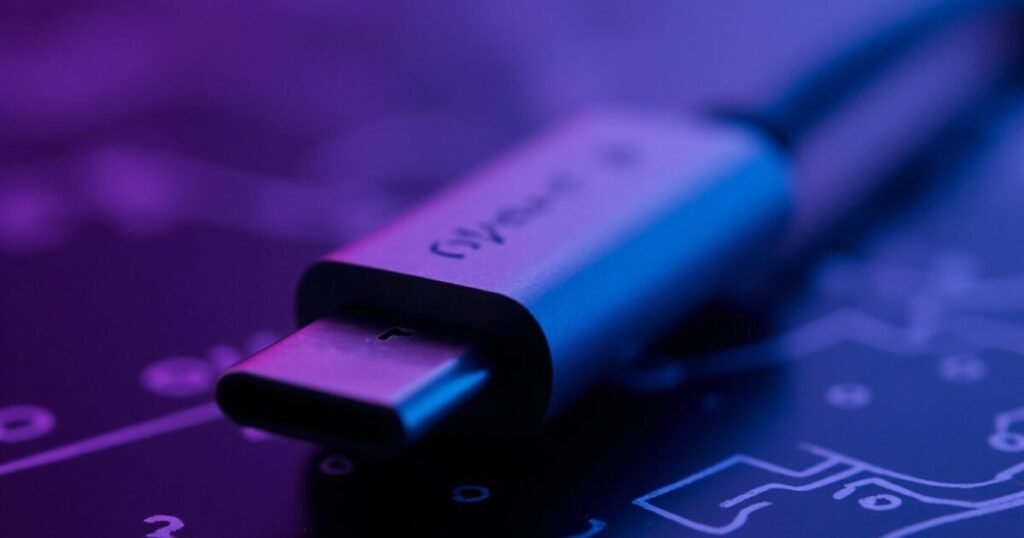
Type-C Requirements, Specs & Comparisons (2026)
1. Why USB4 Changes the Connector Game
When USB 3.2 pushed 10 Gbps through a Type-C connector, engineers raised eyebrows. When USB4 arrived at 40 Gbps, they started asking whether existing connectors could even handle it. Now, with USB4 Version 2.0 specifying 80 Gbps operation using PAM3 encoding, the question isn’t academic — it’s a design hazard.
The reason is straightforward. Below 10 Gbps, connector electrical performance was forgiving. A well-made USB 3.2 Type-C receptacle with decent impedance control could pass compliance without breaking a sweat. At 40 Gbps — and especially at 80 Gbps — the margin evaporates.
USB-IF recognized this. For the first time in USB history, the USB4 specification mandates signal integrity (SI) compliance testing for connectors — not just as a design recommendation, but as a certification requirement. A Type-C connector that worked fine for USB 3.2 might fail USB4 Gen3 compliance testing, not because it broke, but because its insertion loss at 10 GHz is 2 dB worse than the budget allows.
The physical interface hasn’t changed. USB4 still uses the 24-pin Type-C connector. The difference is entirely electrical: tighter impedance tolerance, lower crosstalk, and insertion loss budgets that leave no room for second-tier connector designs.
Key takeaway: USB4 didn’t change the connector shape. It changed the connector’s electrical requirements from ‘nice to have’ to ‘must pass certification.’
2. USB4 Type-C Connector: Technical Deep Dive
The USB Type-C connector has 24 pins arranged symmetrically across two rows of 12. The USB4 specification uses a subset of these pins for high-speed data, but the critical difference from USB 3.2 is how those pins are used.
Pin Allocation for USB4 Operation:
| Pin Group | Pins | Function in USB4 |
|---|---|---|
| High-Speed Lane 0 TX | A2/A3, B10/B11 | Transmit pair for Lane 0 |
| High-Speed Lane 0 RX | B2/B3, A10/A11 | Receive pair for Lane 0 |
| High-Speed Lane 1 TX | A5/A6, B7/B8 | Transmit pair for Lane 1 |
| High-Speed Lane 1 RX | B5/B6, A7/A8 | Receive pair for Lane 1 |
| USB 2.0 | A7/B7, A6/B6 | Legacy USB 2.0 data |
| CC1 / CC2 | A5, B5 | Configuration channel |
| SBU1 / SBU2 | A8, B8 | Sideband use (DP AUX, etc.) |
| VBUS | A4/A9/B4/B9 | Power delivery |
| GND | A1/A12/B1/B12 | Ground return |
Differential Impedance: USB4 specifies a differential impedance target of 90 Ω for all high-speed signal pairs, with a tolerance of ±10 Ω across the connector’s operating frequency range. Any impedance discontinuity — from a poorly designed contact spring, inconsistent plating, or a via stub on the PCB side — creates a reflection that eats into the insertion loss budget.
Insertion Loss Budget: USB4 Gen3 allows up to 12 dB of insertion loss at the Nyquist frequency (10 GHz). At Gen4 (80 Gbps, PAM3), the Nyquist frequency doubles and the insertion loss budget tightens further. A connector contributing 1.5 dB of loss at 10 GHz might be acceptable for Gen3; at Gen4’s higher frequencies, the same connector could consume too much of the total link budget.
Crosstalk: Near-end crosstalk (NEXT) and far-end crosstalk (FEXT) between adjacent pairs must stay below -30 dB across the operating bandwidth. This is a material constraint — housing geometry, contact spacing, and ground pin placement all affect crosstalk. You cannot fix a bad connector with better PCB routing; the crosstalk happens inside the connector body itself.
3. USB4 Gen3 (40 Gbps) vs Gen4 (80 Gbps): Connector Impact
USB4 Version 2.0 introduced 80 Gbps operation by switching from NRZ (Non-Return-to-Zero) signaling to PAM3 (Pulse Amplitude Modulation, 3-level). This change has direct consequences for connector selection.
NRZ encodes one bit per symbol using two voltage levels. PAM3 encodes 1.5 bits per symbol using three voltage levels. The trade-off: PAM3 achieves higher throughput at the same baud rate, but is more sensitive to noise. A PAM3 receiver must distinguish three signal levels instead of two, meaning the same amount of random jitter or crosstalk noise has a larger impact on bit error rate.
Connector Parameter Comparison:
| Parameter | USB4 Gen3 (40 Gbps) | USB4 Gen4 (80 Gbps) |
|---|---|---|
| Signaling | NRZ (PAM2) | PAM3 |
| Per-lane data rate | 20 Gbps | 40 Gbps (effective) |
| Nyquist frequency | 10 GHz | ~13.3 GHz (PAM3 equiv.) |
| Insertion loss (connector) | ~1.5 dB (target) | ~1.0 dB (tighter) |
| Crosstalk limit (NEXT) | < -30 dB | < -32 dB (stricter) |
| Impedance tolerance | 90 Ω ± 10 Ω | 90 Ω ± 8 Ω |
| USB-IF cert. mandatory? | Yes (first time) | Yes (when available) |
As of mid-2026, Gen4 connector certification through USB-IF is still in early adoption. Most connectors marketed as ‘USB4 compatible’ have been tested at Gen3 levels only. Before specifying a connector for Gen4 operation, confirm the manufacturer has Gen4 TID data — not just a data sheet claim.
4. What to Look for in a USB4 Connector: Selection Criteria
Choosing a USB4 connector isn’t about picking the cheapest Type-C receptacle from a catalog. It’s about matching six parameters to your design’s data rate, environment, and reliability requirements.
1. Signal Integrity (SI) Performance — Ask for S-parameter data (SDD21, SDD11, NEXT/FEXT) across the full operating frequency range. A connector with data only up to 5 GHz hasn’t been validated for USB4.
2. USB-IF Certification (TID) — A valid Test ID means the connector passed USB-IF compliance testing. ‘Designed to meet USB4 requirements’ is not the same as certified. Uncertified connectors are a production liability.
3. Mating Cycles — Standard Type-C connectors are rated for 10,000 cycles. For industrial applications with frequent connect/disconnect, look for 20,000+ cycles with documented SI stability over the full lifetime.
4. EMI Shielding — USB4’s higher frequencies radiate more. Full 360° shell grounding with integrated EMI fingers outperforms spot grounding.
5. Power Delivery — USB PD EPR pushes up to 240 W. Verify VBUS pin current rating (at least 5 A per pin pair) and contact resistance (target: < 30 mΩ initial).
6. Temperature Range — Consumer connectors cover 0°C to +50°C. Automotive needs -40°C to +105°C. Industrial outdoor needs IP67/IP68 sealing.
| Application | SI Priority | Mating Cycles | EMI | Power | Temperature |
|---|---|---|---|---|---|
| Consumer laptop | Gen3 minimum | 10,000 | Moderate | 100W+ | 0–50°C |
| Thunderbolt 4 dock | Gen4-ready | 5,000 | High | 100W+ | 0–50°C |
| Industrial camera | Gen3 | 20,000+ | Critical | 15W | -40–85°C |
| Automotive IVI | Gen4-ready | 5,000 | Critical | 15–60W | -40–105°C |
| Outdoor sensor | Gen3 | 10,000+ | High | 15W | IP67, -40–85°C |
5. USB4 Connector Manufacturers: Who Makes What
Amphenol ICC offers the GSB4 series, designed for USB4 Gen3 with S-parameter data through 20 GHz and multiple TIDs across different mounting configurations. JAE’s DX07 series was among the first to achieve USB4 TID certification with detailed SI data and Gen4 pre-compliance work underway. Molex and TE Connectivity both maintain USB4-certified Type-C portfolios — Molex emphasizing shielding design, TE focusing on high-durability variants.
The gap is in industrial and specialty applications. Tier-1 manufacturers optimize for high-volume consumer and enterprise. If you need USB4-capable Type-C with locking retention, IP67 waterproof sealing, or extended temperature range, the standard catalogs fall short.
Manufacturers like GSConn and GAOSONG fill this gap with industrial-grade USB connectors — the same 24-pin Type-C interface, but with design priorities shifted from cost-per-unit to reliability-per-connection. A GSConn locking USB Type-C connector maintains 90 Ω differential impedance while adding mechanical latch retention. GAOSONG’s IP67/IP68-rated USB connectors achieve waterproof sealing without compromising SI performance.
| Manufacturer | Series | Max Data Rate | TID | Locking | Waterproof | Temp Range |
|---|---|---|---|---|---|---|
| Amphenol ICC | GSB4 | 40 Gbps | Yes | No | No | -30 to +85°C |
| JAE | DX07 | 40 Gbps (Gen4 pre) | Yes | No | No | -30 to +85°C |
| Molex | USB4 Type-C | 40 Gbps | Yes | No | No | -30 to +85°C |
| TE Connectivity | USB4 Type-C | 40 Gbps | Yes | No | No | -40 to +85°C |
| GSConn | Industrial Type-C | 40 Gbps | Contact mfr | Yes | Yes (IP67) | -40 to +85°C |
| GAOSONG | Rugged Type-C | 40 Gbps | Contact mfr | Yes | Yes (IP68) | -40 to +105°C |
| AnyTek | Specialty Type-C | 40 Gbps | Contact mfr | Contact mfr | Contact mfr | Contact mfr |
6. USB4 vs USB 3.2 vs Thunderbolt 4: Connector Comparison
The connector looks identical across all three standards. That is both the strength and the trap of Type-C. USB 3.2 (up to 20 Gbps), USB4 (up to 80 Gbps), and Thunderbolt 4 (40 Gbps) all use the same 24-pin Type-C mechanical interface.
A USB 3.2-certified Type-C connector was not tested at USB4 frequencies. It might work at 40 Gbps. It might not. USB-IF does not guarantee backward-forward performance — a USB 3.2 TID means the connector passed tests at 10 Gbps per lane, not at 20 Gbps per lane.
| Standard | Max Speed | Connector Electrical Req. | Certification | Backward Compatible |
|---|---|---|---|---|
| USB 3.2 Gen 2×2 | 20 Gbps | Type-C, 90 Ω nominal | USB-IF (optional) | Yes, USB 2.0/3.x |
| USB4 Gen3 | 40 Gbps | Type-C, SI compliance mandatory | USB-IF (mandatory) | Yes, USB 3.2/2.0 |
| USB4 Gen4 | 80 Gbps | Type-C, tighter SI | USB-IF (emerging) | Yes, USB 3.2/2.0 |
| Thunderbolt 4 | 40 Gbps | Type-C, Intel-certified | Intel (mandatory) | Yes, USB4/USB 3.2 |
Thunderbolt 4 certification is generally stricter than USB4 Gen3. A Thunderbolt 4-certified connector will pass USB4 Gen3 compliance. The reverse is not automatically true. For guaranteed 40 Gbps today, specify Thunderbolt 4-certified or USB4 Gen3 TID connectors.
7. Industrial & Rugged USB4 Connectors
The typical Type-C connector design assumes a clean, stationary environment. Industrial environments break those assumptions. Vibration loosens standard connections over time. Temperature extremes degrade contact resistance. EMI in industrial settings is orders of magnitude worse.
Locking Mechanisms: Industrial USB connectors with integrated latches increase retention force from ~20 N to 100+ N. GSConn’s locking USB Type-C series uses a metal latch integrated into the connector shell that engages with a corresponding notch on the plug — no adapter required.
Waterproof Sealing: IP67 connectors survive temporary immersion; IP68 handles continuous submersion. GAOSONG’s IP68-rated USB connectors use a two-stage sealing design — face gasket for the plug-receptacle interface and rear O-ring for the panel cutout.
Contact Material: Industrial connectors use thicker gold plating (15 μin or 30 μin over nickel) or palladium-nickel alloy contacts for extended mating cycle life with stable SI performance.
Wide Temperature Materials: LCP (Liquid Crystal Polymer) housings provide stable dielectric properties from -40°C to +105°C with lower thermal expansion than standard thermoplastics.
| Condition | Consumer Connector | Industrial Connector |
|---|---|---|
| Ambient 0–50°C, stationary | ✅ | Overkill |
| Ambient -20 to +70°C | ⚠️ Marginal | ✅ |
| Ambient -40 to +85°C | ❌ | ✅ |
| Continuous vibration (>2g) | ❌ | ✅ with locking |
| Outdoor / rain exposure | ❌ | ✅ IP65 minimum |
| Temporary submersion possible | ❌ | ✅ IP67 minimum |
| High EMI environment | ⚠️ Depends on shielding | ✅ Full 360° shield |
8. USB4 Connector Certification & Compliance
USB-IF certification isn’t optional marketing — it’s the difference between independent verification and a manufacturer’s hope that the connector will work.
The certification process: A manufacturer submits samples to a USB-IF authorized independent test lab (ITL). The lab runs S-parameter measurements, TDR impedance profiling, mechanical durability tests, and environmental tests. If the connector passes, USB-IF issues a Test ID (TID).
Gen3 certification is mandatory for the first time in USB history — connectors without a TID are excluded from the USB4 logo program. Gen4 certification is still in late-stage development. As of mid-2026, no connector has a formal USB4 Gen4 TID, though several manufacturers publish pre-compliance data.
Watch for the ‘designed to meet USB4 requirements’ trap — this means the manufacturer designed with USB4 in mind but hasn’t submitted for certification, or submitted and failed. A missing TID is a risk signal. Ask for the actual compliance test report from the certified ITL.
9. PCB Design Considerations for USB4 Connectors
A USB4 connector’s performance doesn’t end at its solder tails. The PCB transition often determines whether the link works at full speed.
90 Ω Differential Impedance Routing: For a standard 4-layer FR-4 board, 100 μm trace width with 150 μm spacing on a 200 μm dielectric typically yields ~90 Ω differential. USB4 Gen3 requires ±10% tolerance; Gen4 tightens this to approximately ±8%.
Connector Footprint: The transition from the connector’s solder tail to controlled-impedance trace is the most common SI failure point. Neck down trace width immediately after the pad with a short tapered section. Place reference plane cutout under the connector pads to compensate for excess pad capacitance.
Via Stubs: For Gen3 (Nyquist 10 GHz), via stubs longer than 0.5 mm in FR-4 become problematic. For Gen4, keep stubs under 0.3 mm, or use back-drilling. The simplest fix: route USB4 signals on the top layer only.
Reference Plane Continuity: Maintain an uninterrupted reference plane for the entire trace length. If the pair crosses a plane split, place stitching capacitors across the split at the crossing point.
10. Common USB4 Connector Problems and Solutions
Problem 1: Link trains at 20 Gbps instead of 40 Gbps. Almost always an SI problem. Measure the eye diagram — the connector is the most likely suspect. Swap in a TID-certified connector and retest.
Problem 2: Intermittent disconnections under vibration. Standard Type-C relies on friction retention. Above 2g vibration, the plug micro-moves. Solution: locking Type-C connector with 100+ N retention.
Problem 3: Radiated EMI failing FCC/CISPR. USB4’s 10 GHz fundamental and harmonics radiate through connector shell gaps. Switch to a connector with seamless or fully-welded metal shell and continuous 360° ground contact.
Problem 4: Degraded performance after temperature cycling. Thermal expansion changes contact normal force. Use LCP housings and verify the manufacturer’s thermal cycling test data at your specific temperature range.
Problem 5: USB-IF compliance failure traced to the connector. Before committing to a connector for mass production, request the actual lab report from the certified ITL and cross-reference the TID on the USB-IF integrators list.
11. FAQ
Q: What connector does USB4 use?
A: USB4 uses the USB Type-C connector exclusively. There is no Type-A, Type-B, or micro-USB variant. The USB-IF mandated Type-C as the sole connector to eliminate the confusion that plagued USB 3.x.
Q: Is USB4 the same as USB-C?
A: No. USB-C is the physical connector. USB4 is the data protocol that runs through it. Think: USB-C is the pipe; USB4 is what flows through the pipe. You can have a USB-C port that only supports USB 2.0, and one that supports USB4 at 80 Gbps — the connector looks identical.
Q: USB4 vs Thunderbolt 4 connector — what’s different?
A: Physically, nothing — both use the same 24-pin Type-C connector. Electrically, Thunderbolt 4 certification is stricter than USB4 Gen3. A Thunderbolt 4-certified connector will pass USB4 Gen3 compliance. The reverse is not guaranteed.
Q: How many pins in a USB4 connector?
A: Twenty-four pins, arranged in two symmetric rows of 12. The pin groups used for USB4 data are: two high-speed TX pairs (4 pins), two high-speed RX pairs (4 pins), plus CC, SBU, USB 2.0, VBUS, and GND.
Q: Does USB4 require new cables?
A: Yes — for full USB4 speeds, you need USB4-certified cables. A USB 3.2 cable will physically connect but the link will train at the cable’s maximum supported speed, which may be 20 Gbps or lower.
Q: Can USB4 run 80 Gbps on existing connectors?
A: It depends. A connector designed for USB 3.2 was not tested at USB4 Gen4 frequencies. Some may handle it; others won’t. Check for Gen4 pre-compliance data or measure S-parameters at 20+ GHz yourself.
Q: What is USB4 Gen4 compliance testing?
A: It verifies that a connector meets the stricter electrical requirements for 80 Gbps PAM3 operation. The test suite uses the same S-parameter and TDR methodologies at higher frequencies and tighter limits. Full certification with TID issuance is expected within 2026.
Q: Are USB4 connectors backward compatible?
A: Yes — mechanically and electrically. A USB4 Type-C connector will accept any USB Type-C plug, and the link operates at the highest speed supported by both ends. Backward compatibility is handled by the protocol layer.
12. Selecting the Right Connector: Decision Framework
Step 1: Determine your required data rate. 40 Gbps → standard TID-certified connectors. 80 Gbps → connectors with published Gen4 pre-compliance data; expect limited supplier options through 2026.
Step 2: Assess your operating environment. Clean, room-temperature, stationary → consumer-grade. Vibration, temperature extremes, moisture, EMI → industrial-grade with locking, sealing, and wide-temp materials.
Step 3: Verify certification. Always check the USB-IF integrators list for the connector’s TID. Reject any supplier that cannot provide an independent lab compliance report.
Step 4: Match connector features to your failure risks. Moving device → locking retention. Outdoor → IP65 minimum. Below -20°C or above +70°C → LCP housing. Charging >100W → verify VBUS rating.
Step 5: Board-level execution. Controlled-impedance routing ±7% minimum. Via stubs under 0.5 mm (Gen3) or 0.3 mm (Gen4). Uninterrupted reference plane under all differential pairs.
For industrial USB4 applications requiring vibration resistance, waterproof sealing, or extended temperature range, GSConn’s industrial locking USB connectors and GAOSONG’s IP67/IP68-rated Type-C connectors provide USB4-capable SI performance in ruggedized form factors. Contact the manufacturer for Gen3 compliance data and Gen4 pre-compliance availability for your specific application.
Looking for industrial-grade USB Type-C connectors?
- Waterproof Vertical Type-C 16P Connector (L000676) — IP-rated, vertical mount
- Dual Type-C 24P 90° Combo Connector (C071243) — high-density dual-port
- USB 3.0 + Type-C 24P Combo Connector (C071143) — USB 3.0 + Type-C hybrid
- Waterproof USB 2.0 + Type-C 16P Connector (C071313) — IP-rated combo
Browse all High-Speed / Data Connectors from GSConn — including USB 3.0, Type-C, combo, waterproof, and industrial locking variants. Datasheets and RFQ available.