
Medical Device Stacked USB Connector: Selection Notes for IEC 60601 Designs
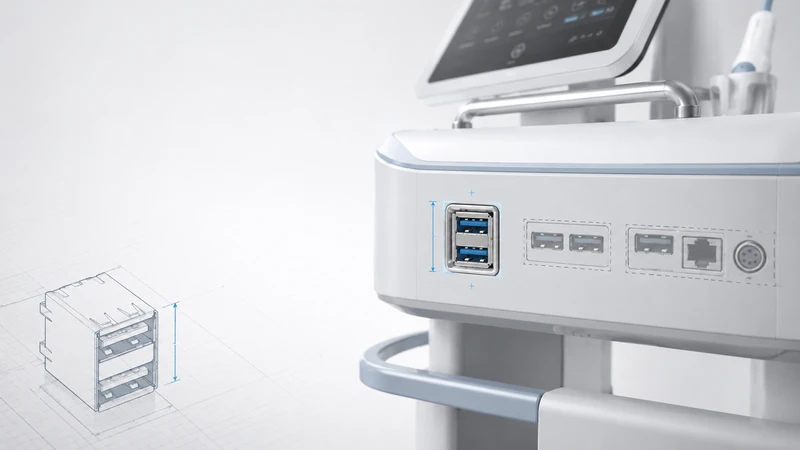
A stacked USB connector can be a good fit for medical equipment, but it does not make a device “IEC 60601 compliant” by itself. IEC 60601 compliance is evaluated at the device level. The connector helps when it supports the design goals: compact packaging, cleanable surfaces, stable EMC behavior, reliable shielding, and predictable separation from patient-applied circuits.
This article focuses on the engineering questions that should be answered before a stacked USB connector is used in a patient monitor, diagnostic instrument, imaging system, medical cart, or portable device.
Why stacked USB is attractive in medical equipment
Medical devices are crowded. A front panel may need USB, Ethernet, power, alarm indicators, sensor inputs, and labels, while still being easy to clean. A stacked connector can reduce panel width and keep two ports in one service area.
The practical advantages are:
- one panel opening instead of two;
- less width consumed on a compact PCB edge;
- one shielded connector body to bond to chassis;
- simpler gasket design for sealed panels;
- easier service labeling when the upper and lower ports have defined roles.
The tradeoffs are height, mechanical leverage on the PCB, and tighter high-speed signal-integrity margins than two well-spaced side-by-side connectors.
1. Standards context: what the connector can and cannot do
Medical standards apply to the finished device. A USB connector can support compliance, but it is not normally “certified to IEC 60601” in isolation.
| Design area | Connector-related implication |
|---|---|
| Electrical safety | Maintain required creepage/clearance between USB circuits and patient-applied circuits. Use isolation where the system architecture requires it. |
| EMC / IEC 60601-1-2 | Use shielded connectors, low-impedance shell bonding, ESD protection, and correct cable shielding. |
| Leakage current | USB VBUS should be current-limited; external accessories must be considered in system risk analysis. |
| Biocompatibility | Usually not relevant for ordinary external USB ports unless the connector or cable contacts the patient. |
| Cleaning and disinfection | Housing, gasket, label, and plating should tolerate the intended cleaning process. |
If the device has ECG, SpO2, defibrillation, or other patient-applied parts, keep the USB area clearly separated in the PCB layout and enclosure design. If a USB accessory can create an unintended connection to protective earth or another medical system, the isolation strategy must be reviewed at the system level.
2. EMC and ESD design
A USB connector is an opening in the enclosure and a path for electrostatic discharge. In medical equipment, where EMC margins are scrutinized, the connector shell should have a short, low-impedance path to chassis.
Good practice includes:
- shielded stacked connector for USB 3.x and noisy environments;
- chassis bonding through metal brackets, shield fingers, or conductive gasket;
- ESD TVS devices placed close to the connector pins;
- controlled impedance routing for USB 3.x SuperSpeed pairs;
- no ground-plane split under high-speed USB pairs;
- cable shield termination strategy defined in the EMC plan.
Avoid routing patient-connected analog signals near the USB connector breakout. The issue is not only radiated emissions; ESD return currents can also find unpleasant paths if the shield connection is weak.
3. Cleaning, sealing, and material compatibility
Hospital equipment is usually wiped down, not autoclaved. USB connectors generally should not be treated as autoclave-compatible unless a specific product is designed and tested for that process.
| Cleaning or exposure | Design implication |
|---|---|
| 70% IPA wipe | Common requirement; request material compatibility data. |
| Bleach or peroxide cleaners | More aggressive; verify housing, gasket, and labels. |
| Fluid splash | Consider IP-rated panel sealing and drainage around the port. |
| Repeated wipe cycles | Check cosmetic change, cracking, and retention after aging. |
| Autoclave | Do not assume compatibility; use sealed modules or different interface strategy if autoclaving is required. |
An IP67 connector option is useful, but the finished enclosure seal depends on the panel gasket, cutout tolerance, screw torque, cable side, and whether the port is capped when unused. Test the assembled product, not just the loose connector.
4. Mechanical reliability in clinical use
Medical ports are used by busy staff, often with gloves, sometimes under time pressure. The connector must be robust without being difficult to operate.
For bedside monitors and carts, the main risks are frequent cable insertion, side loading, and rolling vibration. For handheld instruments, the main risks are drop shock and limited enclosure wall thickness. For imaging systems, cable strain relief and EMC are usually more important than the connector footprint alone.
Stacked connectors should be supported mechanically. Through-hole shell stakes, a metal bracket, or a panel-mounted version reduces stress on the PCB when the upper port is used. A recessed port can protect the connector from impact, but make sure the recess is still cleanable and that the cable overmold fits.
5. USB 2.0, USB 3.x, or Type-C?
| Need | Suggested direction |
|---|---|
| Data export, service, keyboard/mouse | USB 2.0 stacked Type-A is usually sufficient and mechanically familiar. |
| Imaging file transfer or high-speed storage | Shielded USB 3.x stacked connector with controlled layout. |
| Reversible plug, modern accessories, higher data rate | Type-C, but confirm retention, sealing, and cable policy. |
| Charging patients’ phones or tablets | Treat as a power design and risk-management issue, not just a connector choice. |
For medical equipment, do not choose USB 3.x simply because it sounds newer. If USB 2.0 meets the data requirement, it often gives more signal margin, lower EMI risk, and lower cost.
6. Documentation to request from the connector supplier
For design controls, purchasing, and regulatory files, request documents early.
| Document | Why it matters |
|---|---|
| Datasheet and drawing | Confirms footprint, cutout, current rating, mating cycle rating, and materials. |
| Material declaration | Supports RoHS/REACH and internal material review. |
| UL flammability information | Useful for safety file and enclosure review. |
| Cleaning compatibility statement | Supports wipe-disinfection claims. |
| IP test information | Needed if the product claims ingress protection at the port. |
| 3D STEP model | Prevents cable and enclosure interference. |
| SI model or test data | Useful for USB 3.x layout and EMC pre-compliance. |
| Change-control process | Important for regulated products with long lifetimes. |
A regulated device should avoid changing the connector late in the project. Even a footprint-compatible substitute can affect EMC, retention, material documentation, and the enclosure seal.
7. Application examples
Patient monitor
A stacked USB 2.0 connector can provide one service port and one data-export port without using much panel width. Use ESD protection, shell bonding to chassis, and clear labeling. If the port is near patient-applied circuitry, document the separation and isolation strategy.
Mobile ultrasound or diagnostic cart
USB 3.x may be justified for image export or external storage. Use a shielded connector, bracket or panel support, and strain relief for cables used during transport. Validate the system with the real cart vibration profile and cable attached.
Handheld diagnostic device
Space savings can be decisive, but height and enclosure thickness are limiting. A single Type-C connector may be better if only one port is needed. Use stacked USB only when two physical ports are truly required.
Surgical or operating-room equipment
Prioritize cleanability, fluid resistance, EMC, and service access. If the equipment is near sterilization workflows, make it clear whether the USB port is wipe-disinfected, capped, or isolated behind a sealed door. Do not imply autoclave compatibility without test evidence.
GSConn selection notes
For GSConn medical-related projects, specify the actual use case rather than asking only for a “medical connector.” Useful requirements include USB speed, panel seal target, cleaning chemicals, mating-cycle expectation, housing color, bracket or panel-mount style, and documentation needs. Confirm all compliance-related statements against the exact part number and the finished device test plan.
FAQ
Can a consumer stacked USB connector be used in a medical device?
Sometimes, but it may create more work for EMC, cleaning, change control, and documentation. The risk depends on where the port is used and what claims the finished product makes.
Is IP67 always required?
No. A cart in a dry clinical area may need wipe-clean compatibility more than immersion protection. Operating-room or fluid-exposed equipment often needs a stronger sealing strategy.
Do medical devices need Type-C?
Only when the product benefits from Type-C features. For service and data export, USB-A can be more familiar and mechanically stable. For modern accessories or higher data rates, Type-C may be the better route.
Can the connector be autoclaved?
Do not assume so. Use a connector specifically rated and tested for the process, or keep the USB interface outside the autoclaved portion of the product.